
Table of Contents
- Why Technology Readiness Defines Your Mediation Success
- The Cost of Being Unprepared: Technical Failures in Real Sessions
- Our Comprehensive Pre-Session Tech Framework for Mediators
- Building Your Personal Tech Checklist: Essential Components
- Platform and Software Testing Protocols
- Creating Contingency Plans for Technology Failures
- Accessibility Standards Every Mediator Must Meet
- Scripts and Standard Responses for Technical Issues
- Hardware and Connection Verification Steps
- Client Communication Before Sessions Begin
- Integrating Tech Preparation Into Your Mediation Practice
- How Our Certification Program Trains Mediators for Tech Readiness
- Frequently Asked Questions (FAQ)
Why Technology Readiness Defines Your Mediation Success
The quality of your mediation session depends heavily on factors you can control before the parties ever log in. When your technology fails mid-session, you’re not just dealing with a technical inconvenience; you’re undermining the trust and neutrality that mediation depends on. Clients expect seamless, professional interactions, and technical glitches can shift focus away from resolving the actual dispute.
Mediators who prepare thoroughly with technology checklists project competence and calm. This preparation signals to both parties that you’ve anticipated problems and taken them seriously. Your professionalism extends beyond your mediation skills into every operational detail, and technology is no longer optional in modern practice.
The mediators building six-figure practices understand that technical readiness is part of their value proposition. When sessions run smoothly from the first minute, clients are more likely to trust your process and recommendations. This isn’t about bells and whistles; it’s about removing friction so parties can focus on resolution.
Actionable takeaway: Commit to testing your entire tech setup at least 24 hours before every session. This single habit prevents 80% of common technical problems.
The Cost of Being Unprepared: Technical Failures in Real Sessions
Consider a straightforward workplace mediation scheduled for 2 p.m. The mediator logs in five minutes before the session, but the video platform is glitchy. Audio cuts in and out. One party can’t see screen sharing. Ten minutes of troubleshooting passes. Both parties are now frustrated, skeptical about the mediator’s competence, and mentally checked out. The mediation itself is undermined before meaningful dialogue begins.
More serious scenarios happen regularly. A mediator’s internet drops entirely 20 minutes into a divorce mediation. There’s no backup connection plan. One spouse suspects the mediator favored the other side. The other spouse grows impatient. What could have been a productive session becomes a rescheduled appointment and a damaged professional reputation.
These failures cost you directly. Unhappy clients don’t refer others, they leave negative reviews, and they may dispute your invoice. Rescheduling creates gaps in your calendar and reduces your billable hours. Over a year, one mediator suffering monthly technical failures could lose 15-20 billable sessions.
Beyond lost revenue, unprepared mediators face liability exposure. If a technical failure causes a breakdown in the mediation process and a party claims negligence, your lack of preparation becomes problematic documentation. Professional mediators carry liability insurance, but prevention is infinitely better than claims management.
Actionable takeaway: Document your pre-session tech checks in writing. Save screenshots of successful test connections. This creates a record of your diligence if issues ever arise.
Our Comprehensive Pre-Session Tech Framework for Mediators
We’ve developed a structured approach to technology preparation that our certification graduates use consistently. The framework covers three main phases: environment and equipment verification, platform functionality testing, and client communication confirmation.
The first phase focuses on your physical and digital environment. Is your room quiet? Is your internet stable? Are your devices charged? Do you have backups ready? This happens 24-48 hours before your session.
The second phase tests everything your parties will use. You’re not just opening your platform; you’re simulating what clients experience. You’re checking screen shares, recording features, waiting room functions, and breakout rooms if applicable.
The third phase confirms that clients know what to expect. You’ve already sent instructions, but you verify they received them and ask if they have questions. This reduces surprises and anxiety on session day.
Many mediators skip this structured approach and pay the price in session quality. We built this framework based on real-world feedback from mediators in our community who’ve scaled their practices successfully. Following it systematically transforms technology from a source of stress into a competitive advantage.
Actionable takeaway: Create a one-page checklist version of this framework and print it. Review it before every single session, checking off each item as you complete it.
Building Your Personal Tech Checklist: Essential Components
Your personal checklist should cover hardware, software, connectivity, and backup systems. Start with the obvious: Is your primary laptop or computer fully charged? Do you have a power cord nearby? What about your backup device?
Next, audit your software. Are all applications up to date? Have you logged out and logged back in to your mediation platform recently to catch authentication issues? Do you have a secondary browser installed in case your primary one malfunctions?
Connectivity requires multiple layers. Test your primary internet connection by running a speed test. Have you identified a backup internet source? This might be a mobile hotspot, a nearby coffee shop with reliable wifi, or a co-working space. Many successful mediators keep their phone hotspot enabled during sessions as a silent backup.
Your audio and video equipment deserve individual attention. Test your microphone, speakers, and camera. Adjust your lighting so you’re visible without glare or shadows. Check that your background is professional and distraction-free. Unmute yourself and record a short test video to hear how you sound and see how you appear.
Add contingency communications to your checklist. Do you have client phone numbers saved locally? Can you reach your platform’s technical support team quickly? Have you bookmarked backup conferencing tools?
The strongest checklists include timestamps. Check connectivity 48 hours before the session, 24 hours before, and 15 minutes before. Each check gives you a different snapshot of potential issues.
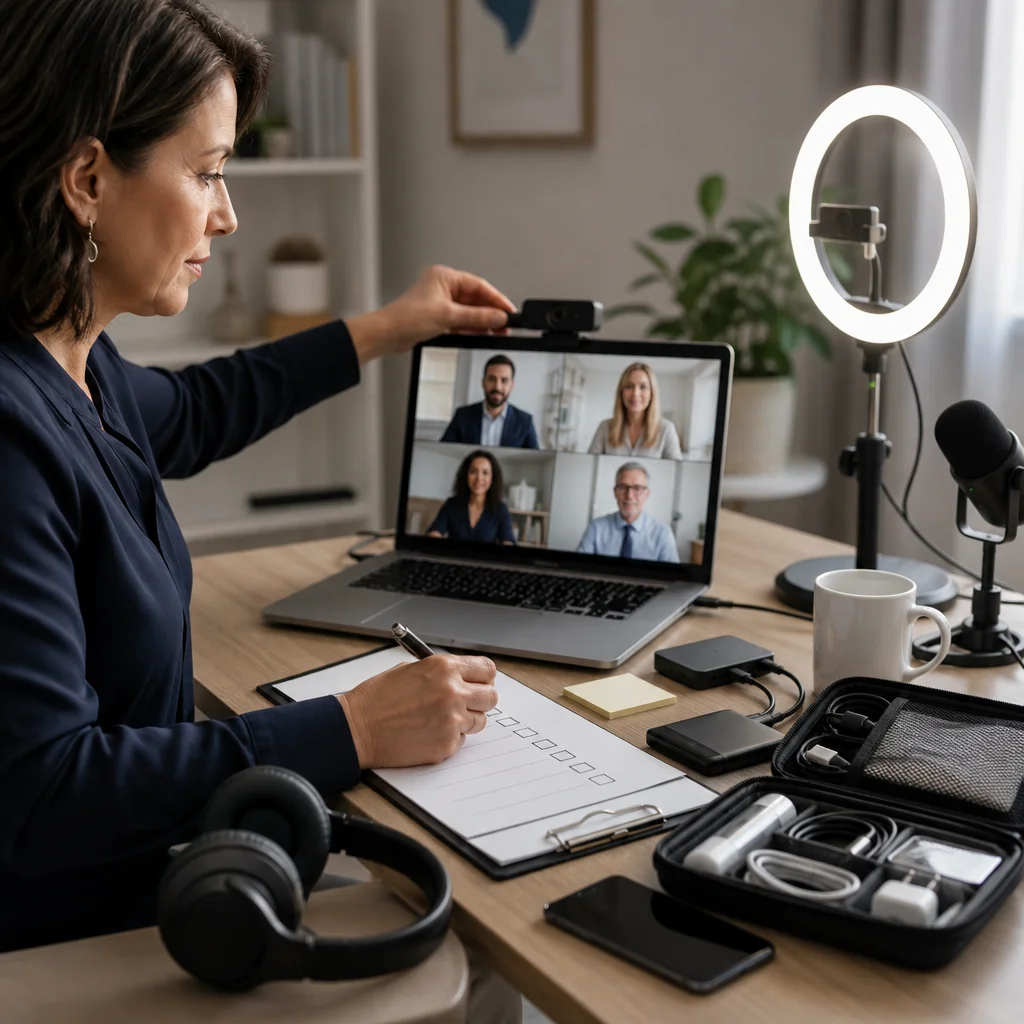
Actionable takeaway: Use a shared document or simple spreadsheet to track which checks you’ve completed for each session. This creates accountability and helps you spot patterns in when problems occur.
Platform and Software Testing Protocols
Don’t just open your mediation platform and assume it’s working. Perform active functionality testing. Log in as a moderator and test every feature you might use: screen sharing, document uploads, recording, waiting rooms, breakout sessions, and chat functions.
Test these features in sequence, exactly as they’ll appear during your actual session. Open your case documents. Try sharing them. Verify that participants would see them clearly. Check file permissions. Nothing is worse than realizing mid-session that a party can’t access a critical document you’re trying to share.
Test your recording capabilities if you’re recording sessions. Verify the file saves to your intended location. Listen to a few seconds to confirm audio quality. Some mediators record locally on their device and have experienced corruption or loss. Understand exactly where your files go and have a backup storage system like cloud backup enabled.
If you’re using multiple platforms (perhaps one for mediation, another for intake, another for document storage), test the transitions between them. Practice moving between them smoothly without fumbling or confusion.
Many mediators overlook notifications and alerts. Disable Slack notifications, email notifications, calendar alerts, and anything else that might beep, buzz, or pop up during a session. Nothing derails focus faster than surprise notifications.
Create a test session with a colleague or friend. Have them join your virtual room and provide honest feedback on audio, video, and overall experience. Ask them specific questions: Can you see me clearly? Do you hear an echo? Is there background noise? Their outside perspective catches issues you’ve grown blind to.
Actionable takeaway: Schedule a monthly “tech maintenance day” where you run full platform tests, update software, and verify backup systems. Mark it on your calendar now.
Creating Contingency Plans for Technology Failures
Preparation creates confidence, but contingency planning creates resilience. Write down specific responses to specific failures before they happen. If your internet drops, what’s your plan? Do you restart your modem immediately or switch to mobile hotspot? This decision takes seconds when you’ve already decided, but takes minutes when you’re thinking on the fly.
Create a backup meeting location. If your home internet fails catastrophically, where will you conduct the session? Some mediators maintain relationships with local co-working spaces or libraries. Others book a small office space on an hourly basis for backup purposes.
Document your platform’s technical support phone number and chat options. Save these in multiple places: your phone, your computer, and a printed copy in your mediation workspace. Spend 15 minutes familiarizing yourself with their support options before you need them.
Establish phone dial-in numbers for your sessions as a backup. Most virtual mediation platforms offer phone access in addition to video. Even if your video fails, the mediation can continue via phone. Have these dial-in numbers ready before the session begins.
Prepare language for communicating technical problems to clients. Practice saying something like: “I apologize for the technical difficulty. Let me switch to our backup connection. I’ll be back with you in 30 seconds.” This keeps parties calm and reassures them you’ve anticipated problems.
Brief clients on backup options during your pre-session communication. Let them know what will happen if technology fails. Many disputes arise not from the failure itself but from the lack of transparency about what comes next.
Actionable takeaway: Draft your contingency communication script right now and save it. Read it aloud a few times so it sounds natural. You’ll speak from this script when stress might cloud your thinking.
Accessibility Standards Every Mediator Must Meet
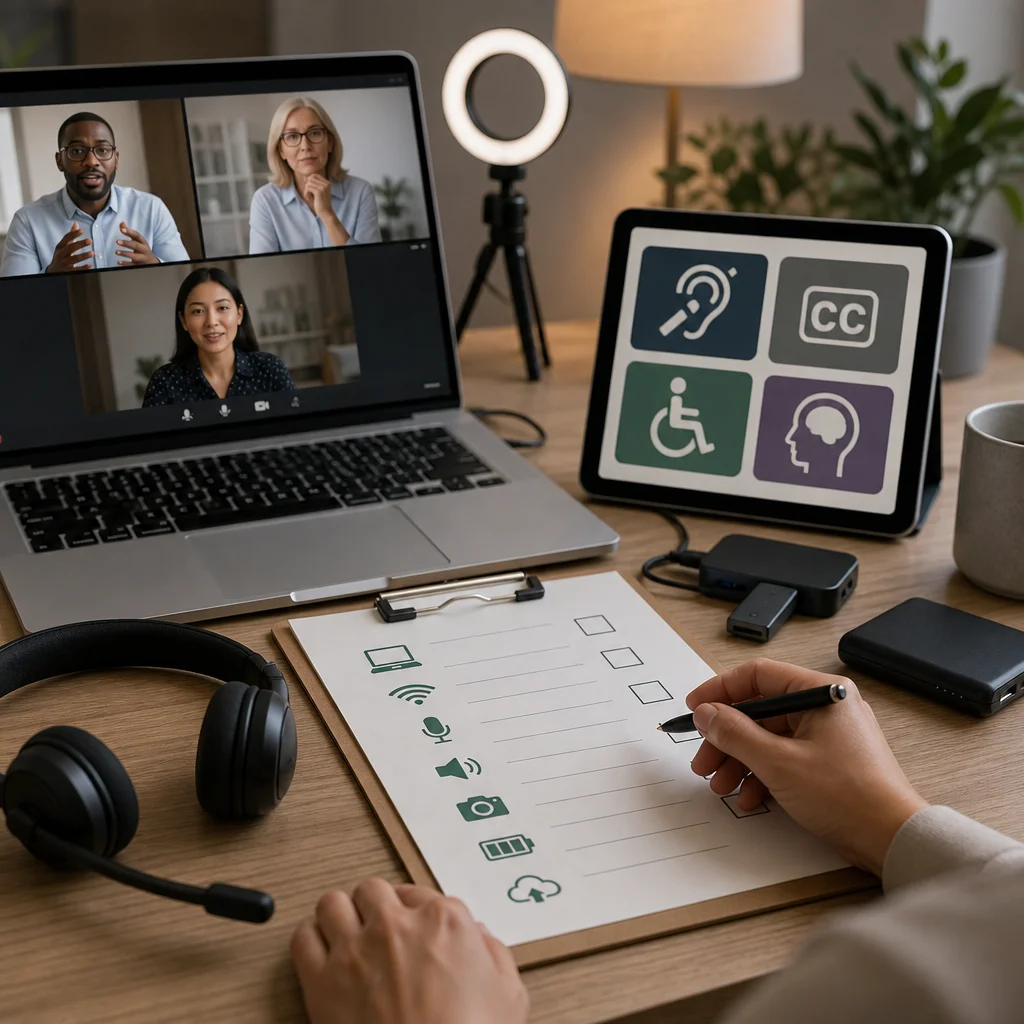
Accessibility isn’t optional; it’s a professional standard and often a legal requirement. Your technology setup must accommodate parties with visual, hearing, mobility, and cognitive disabilities.
Ensure your platform supports closed captioning or has this feature enabled. Many parties are deaf or hard of hearing. Test that captions display accurately by reviewing a recorded session or watching your test video with captions turned on.
Verify that your platform works with screen readers for visually impaired participants. Ask your platform vendor directly if they’ve tested compatibility with common screen reader software. Don’t assume; confirm.
Keyboard navigation matters for parties with mobility limitations. Can someone operate your mediation platform using only a keyboard, without a mouse? Some platforms support this better than others. Know your platform’s accessibility features before someone needs them.
Use color combinations with sufficient contrast. If you’re sharing documents or using visual elements, ensure text is readable against backgrounds. This helps not just people with color blindness but anyone viewing on a poor-quality screen.
Speak clearly and naturally. Don’t exaggerate or slow down your speech unnecessarily, but do ensure you’re not mumbling or speaking rapidly. Good diction helps everyone, including non-native English speakers.
Make your mediation space physically accessible if sessions ever occur in person. Ensure there’s an accessible entrance, accessible restrooms, and adequate space for mobility aids.
These aren’t nice-to-haves; they’re professional and ethical requirements. Mediators excluding people based on disability isn’t just bad practice, it’s illegal in most jurisdictions.
Actionable takeaway: Contact your platform vendor today and request their accessibility documentation. Review it yourself and incorporate findings into your tech checklist.
Scripts and Standard Responses for Technical Issues
When technical problems occur, your response tone matters as much as your response action. Prepare short, calm statements that keep parties focused on resolution, not frustration.
If audio or video fails: “I’m experiencing a technical issue with my camera. Let me reconnect. I’ll be back in just a moment.” Avoid over-explaining or apologizing excessively. Brevity and confidence matter.
If screen sharing fails: “The document isn’t displaying properly on my end. Let me send it to you directly. Can you access the PDF I’m emailing?” Pivot quickly to an alternative method.
If the entire platform disconnects: “I’ve lost connection momentarily. I’m reconnecting now. Please stay on the line.” Use the fallback phone line if necessary.
If a party can’t access the platform: “That’s happening occasionally today. Let’s use the phone dial-in option instead. Here’s the number and code.” Have this information immediately available.
For recording failures: “I wasn’t able to record the session due to a technical issue. That doesn’t affect our mediation. Let’s proceed.” If recording is essential, schedule a continuation session after fixing the problem.
Never blame your technology or vendor to clients. Never use technical problems as an excuse for mediator errors. Your job is to manage the situation professionally, regardless of the cause.
Practice these scripts aloud. When stress hits, you’ll default to language you’ve rehearsed. Mediators who wing it in the moment often sound flustered and undermine client confidence.
Actionable takeaway: Record yourself reading your technical problem scripts. Listen back and adjust until you sound calm and authoritative, not panicked or defensive.
Hardware and Connection Verification Steps
Your hardware setup should be redundant and reliable. This starts with your primary device. Use a desktop or laptop, not just a mobile phone, for mediation sessions. Larger screens give you better visibility and control.
Verify your device is running current operating system updates. Outdated systems may have security vulnerabilities and compatibility problems with modern platforms.
Check your RAM and storage space. Insufficient resources cause slowdowns, freezing, and disconnections. Most mediation platforms require at least 4GB of RAM; 8GB or more is better.
Your internet connection is non-negotiable. Test download and upload speeds before sessions. Most mediation platforms require at least 2.5 Mbps for stable video. If your speed is marginal, identify what’s consuming bandwidth. Is someone else streaming video on your home network? Can you prioritize your mediation traffic?
Wired connections are more stable than wireless. If possible, run an ethernet cable from your router to your computer. If wireless is necessary, position yourself close to your router and minimize physical obstructions.
Test your backup internet immediately. Can you switch to mobile hotspot? Does it provide adequate speed? Hotspots are lifelines when primary internet fails. Keep a data plan with sufficient monthly allowance.
Microphone and camera quality matters. Invest in a USB microphone rather than relying on built-in laptop audio. External cameras often perform better than integrated ones, especially in variable lighting.
Verify your backup power. Keep your laptop fully charged. Have power cords in multiple locations. Some mediators use uninterruptible power supplies for their router and modem, ensuring backup power if the main power fails.
Actionable takeaway: Right now, run a full internet speed test and document the results. Schedule this test again weekly. You’ll spot when your connection degrades and can troubleshoot before it affects sessions.
Client Communication Before Sessions Begin
Clear pre-session communication prevents misunderstandings and reduces technical anxiety. Send clients information about logging in at least 48 hours before the session.
Include specific instructions: the exact link to join, the time (with their timezone clearly stated), what to expect when they arrive (waiting room versus immediate entry), and what they should prepare (documents, notes, etc.).
Provide your phone number as a backup contact. If they can’t access the video platform, what should they do? Will you call them? Should they text you? Set clear expectations.
Ask for a technology self-assessment. Send a simple email asking: “Do you have reliable internet access? Do you have audio and video capability on your device? Any accessibility needs we should know about?” Their honest answers let you prepare properly.
Conduct a brief tech check call 24 hours before the session if possible. “I’m calling to confirm you can access our mediation platform. Do you have a few minutes to try logging in while I’m on the phone?” This catches issues early and builds confidence.
Explain what will happen if technology fails. “If we get disconnected, I’ll call you back at this number. We can continue on the phone if needed.” Transparency reduces anxiety.
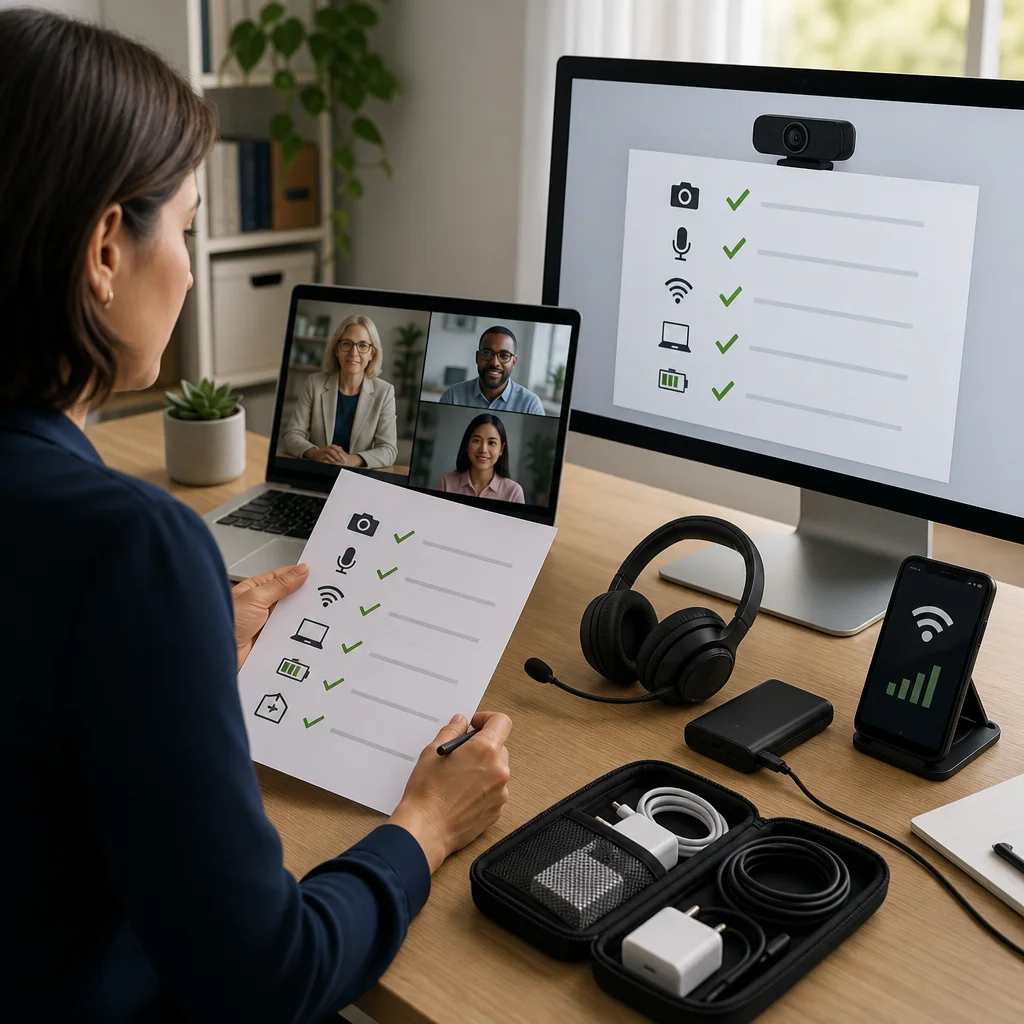
Send reminders about logging in five minutes before the session. “Our mediation starts in 5 minutes. Please log in to the platform now.” This gives people time to troubleshoot before the session officially begins.
Actionable takeaway: Create a standard pre-session communication email template. Customize it slightly for each client, but use the same basic structure every time. This saves time and ensures nothing gets forgotten.
Integrating Tech Preparation Into Your Mediation Practice
Tech readiness works best when it’s systematized. Build it into your practice workflow as a standard step, not an afterthought.
When a client books a session, immediately add pre-session tech checks to your calendar. Schedule the 48-hour check, the 24-hour check, and the 15-minute check. This removes the burden of remembering.
Create a dedicated folder on your computer for each mediation matter. Inside, store the platform login link, client contact information, backup dial-in numbers, and any notes about technical requirements. When it’s time to prepare, everything you need is in one place.
Track problems and solutions. If a particular client experiences recurring technical issues, document what worked. Did they need phone dial-in? Are they on a slower connection? This history helps you anticipate and prevent problems.
Build tech preparation into your mediation fees. Your professional fee includes the cost of maintaining reliable technology and the time spent preparing. You’re not charging separately for tech support; it’s part of your service.
If you’re working with a team or sharing office space with other mediators, establish shared protocols. Maybe you share one high-speed internet connection or split backup modem costs. Coordination prevents duplicate work and ensures consistency.
Schedule quarterly technology audits. Every three months, review your hardware, software, and connection quality. Replace devices that are aging. Update all applications. Test your backup systems thoroughly. This proactive approach costs time upfront but prevents crisis management later.
Actionable takeaway: Block two hours on your calendar next week for a full technology audit. Review every device, connection, platform, and backup system. Update anything that’s outdated.
How Our Certification Program Trains Mediators for Tech Readiness
We’ve designed our curriculum to address the reality that modern mediators must be competent with technology. Our 40-hour online mediation certification includes comprehensive modules on virtual mediation best practices, platform selection, and troubleshooting common technical problems.
Throughout our program, you’ll practice mediation sessions in a virtual environment. You’ll experience common technical issues and learn how to manage them without losing your professional composure. Real instructors provide feedback on how you communicate during technical difficulties, helping you refine your scripts and responses.
We include 12 hours of role-play simulation with instructors, conducted online. These realistic scenarios expose you to technical challenges you’ll actually face. You’ll learn through experience, not theory. By the time you graduate, you’ve encountered and successfully navigated a variety of technical situations.
Our alumni community continues supporting tech readiness beyond graduation. In our private networking space, mediators share platform recommendations, troubleshooting tips, and solutions to technical problems they’ve encountered. This collective intelligence is invaluable as technology and platforms evolve.
We also cover the business side of technology: how to communicate technical requirements to clients, how to structure fees to account for technology investment, and how to build backup systems that don’t strain your budget.
Graduates leave our program not just with mediation skills but with the confidence that comes from being thoroughly prepared for real-world practice. That preparation translates directly into professional success and client satisfaction.
We invite you to explore how our certification can position you for a sustainable, profitable mediation practice. Visit our program details at mediatorcertification.org to learn more about what sets our training apart.
Actionable takeaway: Commit to mastering technology as a core professional skill. Whether through our program or independently, invest time in thorough preparation. The return on that investment appears immediately in client confidence and session quality.
Frequently Asked Questions (FAQ)
How do we help mediators develop their own pre-session tech checklists?
We’ve integrated technology readiness training directly into our certification programs because we’ve seen how technical failures undermine mediation outcomes. Our curriculum teaches you to build a personalized checklist based on your practice type, the platforms you use, and your specific client needs. We also provide you with templates and frameworks during your training so you can implement these protocols immediately in your practice.
What contingency planning does our training cover for technology failures?
We teach you to anticipate the most common technical issues that occur during active mediation sessions and how to respond without losing credibility with parties. Our instructors walk you through scripting responses, establishing backup communication channels, and creating clear protocols with clients beforehand. During our 12 hours of role-play simulation with instructors, you’ll practice handling these scenarios so you’re genuinely prepared when they happen in real sessions.
Why does our curriculum emphasize accessibility standards for online mediation?
We recognize that your professional reputation depends on creating an inclusive environment where all parties can participate effectively. Our training covers the accessibility requirements that matter for virtual mediation platforms, communication tools, and documentation practices. We ensure you understand both the ethical obligations and the practical steps needed to meet these standards before your sessions begin.
Ne zamandır web sitelerim için aradığım içeriği sonunda buldum. Bu kadar detaylı ve net açıklama için teşekkürler.
Super easy registration and I was playing within minutes. The mobile version is just as good as the desktop one. Love 75jililogin
The best place to bet if you are looking for fairness and speed. I had a huge win last weekend and the withdrawal was instant. Love phmegabet
Love the selection of live dealer games. It really feels like I am at a real casino without leaving my living room. Cheers to rk88bet for the great setup.
Finally found a site that does not lag during the big wins. The interface is very user friendly and the payouts are legit. Love jili188login so much!
The app version is a game changer. I can play on the go without any lag and the login is seamless. 18winpkrloginapp makes everything so much easier.
The login process is seamless and the customer support is surprisingly responsive. It is a very trustworthy site. Log in via vnnk88dangnhap today.
I’ve been looking for a reliable spot to play and phrajabet818 really delivers. The interface is smooth and the payouts are fast. Highly recommend it to anyone in the PH area! phrajabet818
Really solid platform with a great variety of options. The customer support is also quite responsive which is a huge plus for me. Check out gtwin3.