Table of Contents
- Why Remote Mediation Technology Matters for Your Practice
- The Core Challenge: Managing Cases Without the Right Tools
- Video Conferencing Platforms for Professional Mediation Sessions
- Scheduling Solutions That Respect Your Clients' Time
- Electronic Signature Tools for Fast Agreement Finalization
- Case Management Systems Built for Mediators
- Secure File Sharing and Document Storage
- Integrating Your Tech Stack for Seamless Workflows
- Real Results: How Our Certified Mediators Use Technology Successfully
- Getting Certified to Master Mediation Best Practices
- Next Steps: Launch Your Technology-Enabled Practice
- Frequently Asked Questions (FAQ)
Why Remote Mediation Technology Matters for Your Practice
Remote mediation has fundamentally changed how mediators operate. You’re no longer constrained by geography, office overhead, or rigid scheduling. A mediator in Denver can work with parties spread across three states without coordinating travel schedules. This flexibility attracts more clients and allows you to charge premium rates because you’re solving a real problem: accessibility and convenience.
The right technology also builds credibility. When clients see you managing cases professionally through secure platforms, scheduling automatically, and delivering signed agreements electronically, they perceive you as competent and modern. This perception directly influences whether they hire you and whether they refer others.
Beyond client impressions, your tech stack directly impacts your profitability. Automation reduces administrative time, which means you spend more hours on billable mediation work. Fewer manual tasks mean fewer errors, fewer follow-ups, and happier clients who feel taken care of.
The Core Challenge: Managing Cases Without the Right Tools
Many mediators start their practice using whatever tools they already have: email, spreadsheets, basic calendar apps, and PDF files stored haphazardly. This approach creates predictable problems that grow worse as your caseload increases.
Without proper case management, you lose track of deadlines. You send scheduling confirmations to the wrong email addresses. Documents get lost in multiple email threads. Clients can’t easily see their agreement status. You spend hours hunting for old case files when a client calls with a follow-up question six months later. Your liability insurance provider might even flag these gaps as a risk.
The real cost isn’t just the wasted time, though that’s significant. It’s the cases you lose because your process feels disorganized, the referrals that don’t happen because a frustrated client had a bad experience, and the potential malpractice exposure from missing documentation.
Mediators who invest in proper remote mediation technology typically see a 20-30% improvement in case completion rates simply because they stay organized and keep both parties engaged throughout the process.
Video Conferencing Platforms for Professional Mediation Sessions
Your video conferencing tool is where the actual mediation happens, so it needs to be reliable, professional, and feature-rich. Zoom remains the industry standard for mediators because it offers breakout rooms, which let you caucus privately with each party without awkward transitions.
When you’re running joint sessions, breakout rooms are essential. You move one party into a private room, discuss their concerns and constraints confidentially, then return to the full group. This workflow is central to mediation practice, and platforms that handle it smoothly make you more effective.
Beyond basic functionality, look for:

- Recording capability (with clear consent from participants)
- Virtual backgrounds to maintain professional appearance
- Waiting rooms so participants can’t see each other before the session starts
- Screen sharing for reviewing documents together
- Participant muting and video controls
Test your platform’s audio quality with headphones beforehand. Mediators often work in home offices, and ambient noise creates friction. A good USB headset is as important as your software choice.
One practical tip: create a standard link format for each client case. This consistency reduces confusion and looks polished when you send calendar invites.
Scheduling Solutions That Respect Your Clients’ Time
Scheduling is often the biggest friction point in mediation. You need to find a time that works for two parties who may not be motivated to cooperate, plus potentially their attorneys. This back-and-forth through email adds days to the process and tests your patience.
Calendly and Acuity Scheduling let you share your availability and let both parties book directly. You set your working hours and block off personal time, and the system handles timezone conversion automatically. No more “Is 2 PM your time or mine?” confusion.
The real benefit emerges when you integrate your scheduling tool with your video conferencing platform and email. Someone books a session, and the system automatically sends them a confirmation email with the Zoom link, reminder messages, and pre-session instructions. They never have to ask for the link. They never miss a meeting.
Configure your scheduling tool to require that both parties confirm attendance 24 hours before the session. This single requirement prevents last-minute cancellations and no-shows, which devastate case momentum.
Electronic Signature Tools for Fast Agreement Finalization
Getting signatures has always been a bottleneck in mediation. You’re ready to close the deal. The parties agree. Then you print documents, mail them, wait for signed copies to return, and the process stretches across weeks.
DocuSign and Adobe Sign eliminate this entirely. You prepare the final agreement, upload it to the platform, and send signature links to both parties. They sign electronically in minutes. You receive notification immediately. The signed document is automatically stored and archived.
This speed is powerful. The parties’ resolve often weakens over time. Getting them to sign while they’re committed increases your case success rate and your ability to refer satisfied clients to others. Word-of-mouth referrals from successful case closures are how you build a sustainable mediation practice.
Electronic signatures carry the same legal weight as handwritten signatures in all U.S. states, and these platforms provide audit trails that actually provide stronger evidence than paper signatures in a legal dispute.
Case Management Systems Built for Mediators
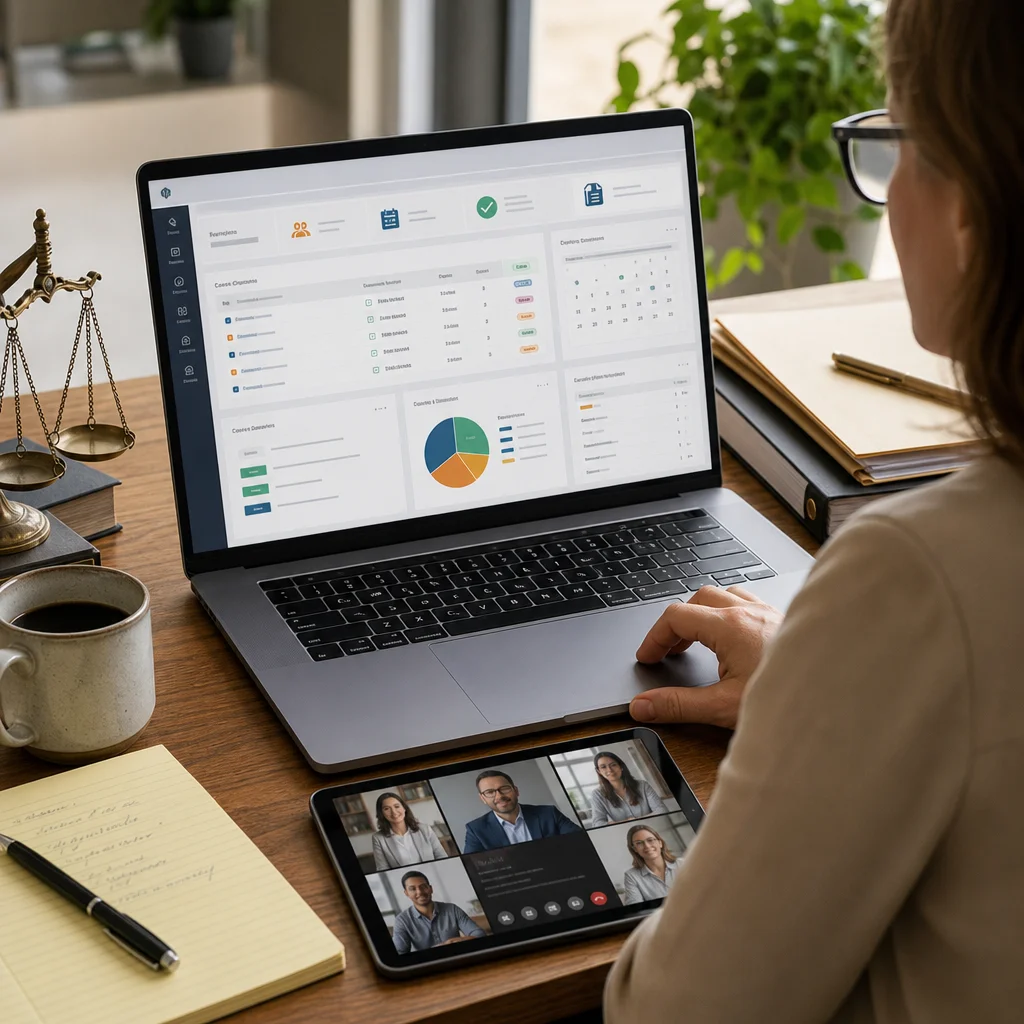
A proper case management system is the backbone of your remote mediation practice. It’s not accounting software or project management software adapted for mediators; it’s built specifically for mediation workflows.
Look for systems that track:
- Case status at each stage (intake, scheduled, in-progress, closed)
- Party contact information and communication history
- Session notes and mediator observations
- Document storage linked to specific cases
- Important dates and deadlines
- Financial records and payment status
- Follow-up actions and next steps
When you log into your case management system, you should instantly see which sessions are coming up, which clients haven’t paid yet, which cases need follow-up emails, and which documents are missing. This overview prevents gaps and keeps you proactive rather than reactive.
The best systems also generate reports showing your case volume, closure rates, average case duration, and revenue trends. This data helps you identify what’s working and where bottlenecks exist.
Secure File Sharing and Document Storage
Mediation involves sensitive documents and private information. You need storage that’s encrypted, backed up, and compliant with privacy standards. This isn’t the place to save files to a personal Dropbox folder.
Enterprise-grade options like Box, Microsoft OneDrive with appropriate access controls, or specialized legal document management systems provide encryption, version control, and audit trails showing who accessed what and when.
Structure your file storage by case, not by document type. Each case gets a dedicated folder containing all agreements, correspondence, notes, and exhibits in one place. When a client asks about something from six months ago, you find it in 10 seconds instead of 10 minutes.
Set up automated backups so you’re never one computer failure away from losing a case file. Many mediators run their practice from home offices; hardware failure is a realistic threat.
Integrating Your Tech Stack for Seamless Workflows
Individual tools are useful, but they become powerful when they work together. When your scheduling tool connects to your video conferencing platform, which connects to your case management system, which connects to your file storage, you’ve built an ecosystem that actually amplifies your time savings.
For example: A client books a session through your scheduling tool. The system automatically creates a case record, sends them a pre-session questionnaire, stores it when they return it, and sends you both a reminder 24 hours before the session with the Zoom link and relevant case documents. After the session, you generate notes in your case management system, which triggers a follow-up email to the parties with next steps.
This integration doesn’t happen automatically. You need to spend a few hours upfront setting up Zapier or Make (formerly Integromat) to pass information between tools. That investment in automation infrastructure pays dividends across every future case.
Real Results: How Our Certified Mediators Use Technology Successfully
We’ve trained hundreds of mediators who’ve built six-figure practices, and nearly all of them credit proper technology setup with making it possible. One mediator in our network started using integrated scheduling and case management; she reduced her administrative time by 8-10 hours per week. That freed up time for business development and additional mediation sessions, which directly increased her income.
Another mediator focused on divorce mediation realized he was spending 15+ hours per month on email coordination with ex-couples and their attorneys. By implementing Calendly plus a case management system with automated reminders, he cut that to 3 hours monthly. Those reclaimed hours translated to five additional cases per month.
The common thread among successful practitioners is consistency. They use the same tools for every case. They invest in documentation. They automate what can be automated. This discipline creates a professional appearance that attracts higher-value cases.

Getting Certified to Master Mediation Best Practices
Technology handles logistics, but mediation itself requires skill. When you get certified through our 40-hour program, you learn structured techniques that work across different dispute types, how to handle emotional intensity professionally, and how to guide parties toward durable agreements.
Our certification covers business, workplace, family, and divorce mediation. You’ll practice with role-play simulations, get feedback from instructors, and learn exactly how to position yourself in the market. The curriculum includes how to integrate your practice systems with your actual mediation technique, so technology amplifies your skill rather than replacing it.
We also cover mediation best practices in detail, showing you how to use technology within frameworks that actually work. You’ll finish certified, confident, and ready to handle cases from day one.
Next Steps: Launch Your Technology-Enabled Practice
Start by auditing your current tools. What’s working? Where are you wasting time? Which tasks feel clunky or error-prone? Write these down; they’re your priorities for improvement.
Next, choose one bottleneck to solve first. Don’t try to implement everything simultaneously. If scheduling frustration is your biggest drain, implement a scheduling tool this month. Get comfortable with it. Then tackle the next layer.
Finally, commit to formal training. You can’t leverage technology effectively if your foundational mediation skills aren’t solid. Our certification program combines technology strategy with mediation technique, so you’re not choosing between good process and good outcomes; you’re building both.
The mediators earning six figures share one trait: they’ve professionalized their practice with appropriate systems. Your tech stack is how you do that affordably and efficiently. Start implementing today.
Frequently Asked Questions (FAQ)
What technology do we recommend for mediators managing remote sessions?
We guide our certified mediators toward a combination of reliable tools: professional video conferencing platforms like Zoom or Microsoft Teams for sessions, case management systems designed specifically for mediation practices, secure document storage solutions, and electronic signature tools for agreement finalization. Our certification program teaches you how to evaluate and integrate these tools into a cohesive workflow that protects client confidentiality while streamlining your operations.
How does our certification prepare you to use technology effectively in your practice?
We incorporate 12 hours of real role-play simulations with instructors where you’ll practice virtual mediation sessions, learning how to manage technical aspects while maintaining professionalism and client focus. Our training covers best practices for remote case management, secure client communication, and building efficiency into your practice so technology enhances rather than complicates your work.
Can we help you choose the right tools for your specific mediation niche?
Our alumni community and mentoring program provide ongoing support where you can learn from experienced mediators in your specialization, whether that’s family, business, or workplace mediation. We also offer business training that addresses practice management challenges, including technology selection based on your mediation type and client volume expectations.
Nice article. There’s a good follow-up resource at pwlihgufi.top if you want to dig further.
fekrsrtiv ckstu ccppgtn dclj goqbtdyeeuotogh
I’ve tried many platforms but this one is really smooth. The payouts are fast and the games are super exciting. Definitely a great choice for locals! phpjiliph
The payouts here are actually fair and the interface is super clean. It is my new go-to spot for gaming. Give br667bet43 a try