
Table of Contents
- Why Remote Mediation Technology Matters for Your Practice Growth
- The Core Challenge: Fragmented Tools and Lost Productivity
- What We've Learned from Training 10,000+ Mediators
- Video Conferencing Solutions That Build Client Trust
- Online Dispute Resolution Platforms for Seamless Case Management
- Scheduling and Calendar Integration for Efficiency
- Digital Signature and E-Signature Tools That Clients Expect
- Payment Processing and Financial Management Systems
- Integrated Case Management: The Real Game-Changer
- Building Your Complete Tech-Stack Without Overwhelming Complexity
- How Our Graduates Successfully Scale with Technology
- Getting Started with Your Mediation Tech Transformation
- Frequently Asked Questions (FAQ)
Why Remote Mediation Technology Matters for Your Practice Growth
The mediation landscape has fundamentally shifted. Clients expect virtual sessions, instant document access, and frictionless payment options. A strong tech-stack isn’t a luxury anymore—it’s a competitive requirement that separates thriving practices from struggling ones.
When you invest in the right remote mediation technology, you unlock several immediate benefits. Your case throughput increases because scheduling conflicts disappear. Client satisfaction rises when they can access case documents at 2 AM without emailing you. Your billable hours expand when you’re not manually chasing signatures or payment confirmations.
Remote mediation technology also extends your geographic reach. You can serve clients across state lines or internationally without maintaining physical office space, dramatically improving your income potential and work-life flexibility.
Action item: Audit your current workflow this week. Identify the three most time-consuming administrative tasks you perform each day. Those are your priority tech targets.
The Core Challenge: Fragmented Tools and Lost Productivity
Most mediators we work with start with a scattered approach. They use Zoom for sessions, Gmail for scheduling, a shared Google Drive for documents, Stripe for payments, and a handwritten case log. The integration gaps are massive.
This fragmentation creates real costs. You spend 10 minutes searching for a client’s mediation agreement. You forget to send a payment reminder. A session recording never gets uploaded to the right folder. A client misses a rescheduled appointment because your calendar invitation and your scheduling tool weren’t synced.
Over a year, these friction points add up to dozens of lost hours and missed revenue opportunities. More importantly, they erode the professional image you’ve worked hard to build.
The solution isn’t adopting 12 different premium platforms. It’s selecting a thoughtful core set of tools that actually talk to each other, plus a few specialized applications for specific needs.
What We’ve Learned from Training 10,000+ Mediators
We’ve taught mediation certification and practice-building skills to over 10,000 professionals. Through our online mediation training programs and direct feedback from our certified mediators, we’ve identified the exact tech components that make practices scalable.
The successful practices we see have standardized on four to six core tools. They’ve tested integrations before fully committing. They’ve established clear data workflows, so every piece of information flows through the system once and only once.
Notably, the highest-earning mediators we’ve trained—those building six-figure private practices—share a common trait: they chose stability over flashiness. They picked established platforms with proven security, excellent customer support, and long-term viability rather than trendy startups that might disappear in two years.
Our mediator mentoring program emphasizes this principle during weekly coaching calls. We guide practitioners through tech selection based on their caseload volume, specialization, and growth timeline rather than generic “best tools” lists.

Video Conferencing Solutions That Build Client Trust
Your video platform is where the mediation actually happens. It must be reliable, secure, and intuitive enough that your clients feel comfortable, not frustrated.
Zoom remains the industry standard for remote mediation sessions. It offers robust security features (end-to-end encryption options), recording capabilities you’ll need for your records, virtual waiting rooms to control session flow, and breakout rooms for individual caucuses with each disputant.
Microsoft Teams and Google Meet are solid alternatives if your clients already use them. However, for dedicated mediation practices, Zoom’s mediator-specific features (like recording and scheduling integration) justify the cost.
Key considerations:
- Ensure HIPAA or equivalent compliance if you handle sensitive personal data
- Test recording quality on your internet connection before using it with clients
- Use waiting rooms to create a professional session opening ritual
- Record all sessions with explicit written consent from all parties
Next step: Test your chosen platform with a trusted colleague. Run a mock mediation session and review the recording quality. This 30-minute investment prevents embarrassment with real clients.
Online Dispute Resolution Platforms for Seamless Case Management
Online Dispute Resolution (ODR) platforms take mediation beyond video calls. They create a structured digital environment where parties can submit documents, view settlement proposals, communicate asynchronously, and sign agreements—all within a single secure workspace.
Platforms like Mediate.com and similar ODR solutions provide case folders, asynchronous messaging, and document management in one interface. This keeps everything you need for a specific case accessible in one place rather than scattered across email, chat, and cloud storage.
ODR platforms are especially valuable for cases involving multiple rounds of negotiation or cooling-off periods. Parties can revisit proposals and respond on their own timeline without scheduling constant video sessions.
For most independent mediators, ODR platform adoption happens after your first year in practice. Start with video conferencing and document storage, then add ODR functionality once your caseload volume justifies the investment.
Scheduling and Calendar Integration for Efficiency
A modern scheduling tool eliminates back-and-forth email chains about meeting times. Clients book their own slots, and your calendar automatically stays synchronized across your personal and professional devices.
Calendly is the dominant choice because it integrates with Zoom. You can create a mediation intake slot and a “mediation session” time block type, each with different duration expectations and meeting link routing. Clients book, a Zoom link is automatically generated, and the session appears on your calendar.
Set clear buffers. Schedule 15 minutes between sessions for notes, and a full hour buffer after complex cases before your next appointment. These aren’t billable hours, but they’re essential for your mental clarity and for documenting case outcomes accurately.
Integration best practice: Link your scheduling tool to your email so confirmation messages go out automatically, and set up custom reminders 24 hours before sessions.
Digital Signature and E-Signature Tools That Clients Expect
Mediation agreements have no value if they’re not signed. Your clients expect to sign documents electronically without printing, scanning, or mailing anything.
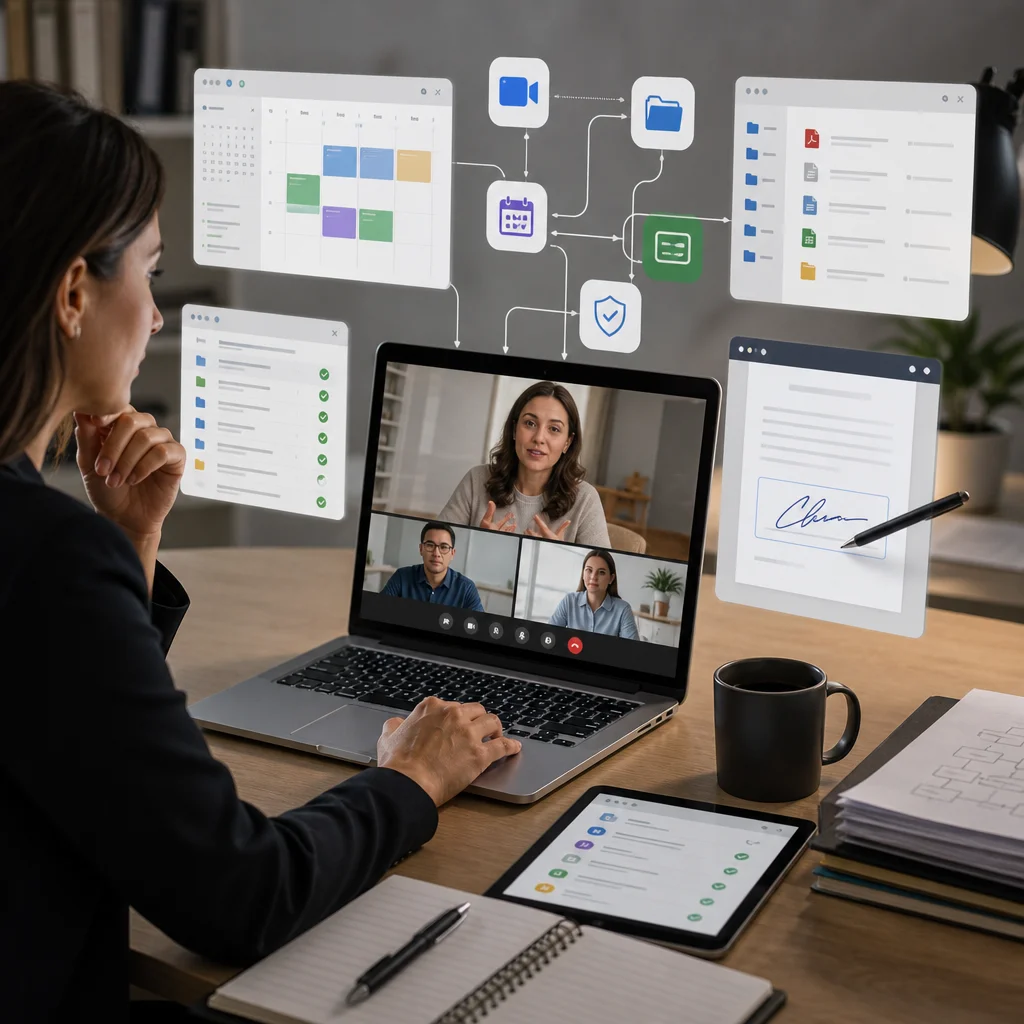
DocuSign and Adobe Sign are enterprise-grade options with robust audit trails and certification features. HelloSign (now Dropbox Sign) offers a lower-cost alternative with sufficient security for most mediation practices.
The key feature you’re paying for is a complete audit trail showing exactly when and by whom each party signed the document, plus timestamps and IP addresses. This legal defensibility is essential if a settlement agreement is ever contested.
Setup requirement: Establish a standard template for your mediation agreement within your e-signature platform. Pre-populate sections like mediator name, session dates, and fee information to minimize manual entry.
Payment Processing and Financial Management Systems
Collecting payment for mediation services should be as simple as accepting a credit card during the intake call or after the final session. Stripe or Square handle the technical side, integrating with most scheduling and CRM tools.
Set a clear payment policy: partial deposit upfront or full payment before the first session. This protects you from no-shows and establishes client commitment. Always offer payment plans for clients with legitimate financial constraints.
Document every payment in a dedicated accounting system. QuickBooks Online or Wave (free option) keeps your finances organized for tax time and provides visibility into your revenue patterns.
Action item: Integrate your payment processor with your scheduling tool so payment confirmation triggers an automatic appointment confirmation email to the client.
Integrated Case Management: The Real Game-Changer
Once you’ve standardized on individual point solutions, the next level is a unified case management system that pulls them together. Systems like Caseload or similar mediator-focused platforms connect scheduling, video, documents, e-signatures, payments, and case notes into a single dashboard.
A true case management system means you open one application and see your full client schedule, pending documents needing signatures, outstanding invoices, and case notes from your last session—all in context. This eliminates the cognitive load of jumping between four different apps.
The business impact is measurable. Mediators using integrated systems report 30% faster case closure times and 25% fewer administrative errors. More importantly, they spend less mental energy on logistics and more on actual mediation skills.
However, don’t adopt a case management system until you’ve actually built a stable practice. Start with point solutions, understand your real workflow, then invest in integration once you have 5-10 active cases simultaneously.
Building Your Complete Tech-Stack Without Overwhelming Complexity
Here’s a realistic tech-stack for your first year:
- Zoom for sessions
- Calendly for scheduling
- Google Drive or Dropbox for file storage
- Stripe or Square for payments
- An e-signature tool (HelloSign or DocuSign)
- Gmail or a basic CRM for client communication
This entire stack costs under $150 per month total. More importantly, these tools integrate naturally. Zoom links flow into Calendly. Documents live in Drive. E-signature requests go through email.
Avoid the temptation to adopt every shiny tool. Evaluate each new software against a simple question: “Does this save me more time than it takes to learn and maintain?” If the answer isn’t a clear yes, skip it.

Your tech-stack should serve your mediation practice, not consume it. You’re a mediator first and a technology manager second.
How Our Graduates Successfully Scale with Technology
We’ve watched our certified mediators grow from solo practitioners handling one case per week to six-figure practices managing 50+ active cases. The ones who scale most successfully treat technology as infrastructure, not an afterthought.
They standardize their intake process using a digital form that populates their scheduling system. They use templates for common agreement types so e-signature documents are ready in 30 seconds rather than 15 minutes. They batch administrative work into scheduled blocks rather than context-switching constantly.
One of our most successful graduates, a divorce mediation specialist, combined Calendly, Zoom, DocuSign, and Stripe into a workflow where 80% of client communication is fully automated. She handles the mediation work itself and focuses on delivering excellent sessions, not chasing paperwork.
This level of scalability isn’t available to mediators who operate with fragmented tools. It requires intentional tech selection and continuous refinement as your caseload grows.
Getting Started with Your Mediation Tech Transformation
Your first step is choosing one platform at a time, not trying to build your entire stack in a week. Start with scheduling (Calendly) and video conferencing (Zoom). Use those reliably for two weeks. Then add document storage, then e-signatures.
If you’re just beginning your mediation career, our 40-hour online mediation certification course includes guidance on practice management and business setup. Our mediator training emphasizes both mediation skills and the operational foundations that let you turn those skills into sustainable income.
For mediators already certified and building a practice, our Marketing Mediation Training course covers client acquisition alongside the systems thinking necessary to scale. Our weekly mediator mentoring coaching calls provide accountability as you implement tech changes and hit growth milestones.
Start simple. Track what actually takes your time. Solve real problems with appropriate tools. Build incrementally. This approach turns remote mediation technology from overwhelming to manageable—and ultimately, profitable.
Frequently Asked Questions (FAQ)
Which technology tools does our certification curriculum cover?
We integrate practical tech-stack training throughout our mediation certification program, focusing on the tools that help you run an efficient remote practice. Our curriculum teaches you how to evaluate and implement video conferencing platforms, case management systems, scheduling software, and payment processing tools that clients expect in 2026. We don’t just list options—we guide you through selecting technologies that match your practice model and budget.
How do our graduates successfully transition to remote mediation work?
We provide our graduates with mentoring through weekly coaching calls where we discuss practice setup, including technology implementation and client acquisition strategies. Our 40-hour certification program includes 12 hours of role-play simulation with instructors, preparing you for virtual mediation sessions. Additionally, our private alumni networking community allows you to connect with mediators already running successful remote practices who share their real-world experiences with different technology platforms.
What support do we offer if I’m overwhelmed by setting up my tech-stack?
Our 24/7 support team is available to answer questions about technology recommendations and practice setup as you implement what you’ve learned. We’ve trained over 10,000 mediators, so we understand the common technology challenges our students face and can point you toward solutions that actually work for building a profitable practice.
502175 363448Yesterday, while I was at work, my cousin stole my iphone and tested to see if it can survive a 30 foot drop, just so she can be a youtube sensation. My apple ipad is now destroyed and she has 83 views. I know this is entirely off topic but I had to share it with someone! 7604
[7117]a9today Official Login | Trusted Online Casino Malaysia Fast Payout,a9today provides a secure platform for the best slots and baccarat. Download the app for easy access and experience the fastest payouts in Malaysia. Join now! visit: a9today
742472 285878I was recommended this web web site by my cousin. Im not certain whether this post is written by him as nobody else know such detailed about my trouble. You are amazing! Thanks! 186433
Great interface and the graphics are stunning. It feels like a premium casino experience right from my phone. 38jilicclogin
211815 713296Beneficial info and excellent design you got here! I want to thank you for sharing your tips and putting the time into the stuff you publish! Wonderful function! 980812
I’ve been looking for a reliable spot like this for a while. The interface is super smooth and everything just works. Highly recommend checking out vnf168ncom if you want a seamless experience.
No more struggling with broken links. plus777linklogin makes it so easy to get back into my account and start playing immediately. Super convenient tool! plus777linklogin